
Do you spend hours editing a video only to watch it get crickets on YouTube? If you create content in the USA, your thumbnail is often the deciding factor between a massive viral hit and a complete flop. Viewers scroll fast. If your image looks blurry, stretched, or confusing, they will skip right past you.
Getting your YouTube thumbnail size correct is the easiest way to grab attention, secure clicks, and grow your subscriber base. When you pair the exact right dimensions with high-contrast visuals, you stop scrollers in their tracks.
This guide walks you through the exact YouTube thumbnail size 2026 requires. We also cover the best YouTube thumbnail practices, mobile-first design strategies tailored for USA creators, and the top free tools for YouTube thumbnails to help you design like a pro.
What is the Exact YouTube Thumbnail Size 2026?
If you want your channel to look professional, you need to follow YouTube’s official dimension guidelines. Starting your design with the wrong canvas size forces the platform to automatically crop or stretch your image. That ruins your quality instantly.
Here are the official specifications you need to use for every upload:
- Width: 1280 pixels
- Height: 720 pixels
- Aspect Ratio: 16:9
- Maximum File Size: Under 2MB
- Accepted Formats: JPG, PNG, or GIF (though PNG usually yields the sharpest text)
Sticking to 1280×720 ensures your image stays crisp on massive smart TVs and tiny smartphone screens alike.
Why USA Creators Must Adopt a Mobile-First Mindset
Most viewers in the United States watch YouTube on their phones. Think about your own habits. You probably browse the app while commuting, waiting in line, or relaxing on the couch.
When a viewer looks at YouTube on a mobile screen, thumbnails shrink down to roughly the size of a postage stamp. If your text is too thin or your background is too busy, a mobile user cannot read it.
Designing for mobile first means:
- Checking your thumbnail at 10% zoom before publishing
- Using thick, bold fonts that stand out
- Relying on close-up shots rather than wide angles
- Ensuring fast loading times by keeping your file size optimized
By nailing the correct thumbnail size and designing for small screens, you automatically boost your click-through rate (CTR).
7 Best YouTube Thumbnail Practices to Boost Clicks
Knowing the right dimensions is only the first step. To actually convince people to click, you need a compelling design. Here are the best YouTube thumbnail practices to dominate the algorithm this year.
1. Always Start with 1280×720
Never guess your canvas size. Open your editing software and set the dimensions to 1280×720 pixels right away. This foundational step prevents pixelation and keeps your layout perfectly aligned with YouTube’s 16:9 ratio requirements.
2. Focus on Extreme Contrast
Your thumbnail needs to pop against YouTube’s interface. Whether your viewer uses light mode or dark mode, high contrast is your best friend. Put a brightly lit subject over a dark, moody background, or use vibrant, neon text against a neutral backdrop.
3. Extract Genuine Reaction Frames
People connect with human faces. USA audiences especially respond to strong, genuine emotions like surprise, joy, or curiosity. Instead of posing for a fake thumbnail photo, extract a high-quality frame directly from your video footage. Find the exact moment you show the most emotion and use that as your focal point.
4. Keep Your Text Short and Punchy
Your thumbnail is not a book. Limit your on-screen text to three to five words max. Use heavy, sans-serif fonts like Impact, Montserrat, or Arial Black. Your text should complement your video title, not just repeat it.
5. Develop a Recognizable Channel Brand
Consistency builds trust. When a viewer sees your video in their suggested feed, they should know it belongs to you before they even read the channel name. Stick to a specific color palette, use the same fonts, and place your logo or face in a consistent spot.
6. Design Around the Timestamp
YouTube places a timestamp in the bottom right corner of your thumbnail. Never put important text, logos, or crucial parts of your face in that corner. Keep your main elements focused on the center and left side of the image.
7. Run A/B Tests Consistently
Stop guessing what works. Create three different thumbnails for your next video using the correct dimensions. Change the background color, tweak the text, or swap out the facial expression. Let YouTube’s built-in A/B testing feature run the variations and show you exactly what your audience prefers.
Step-by-Step Guide: Extracting Frames for Thumbnails
You don’t need an expensive camera to get a great photo for your thumbnail. You can easily pull the perfect shot straight from your exported video. Here is the easiest way to do it without losing quality.
Step 1: Export Your Final Video
Finish editing your video and export it in a standard format like MP4, MOV, or MKV. Save the file to your computer desktop for easy access.
Step 2: Use a Frame Extractor
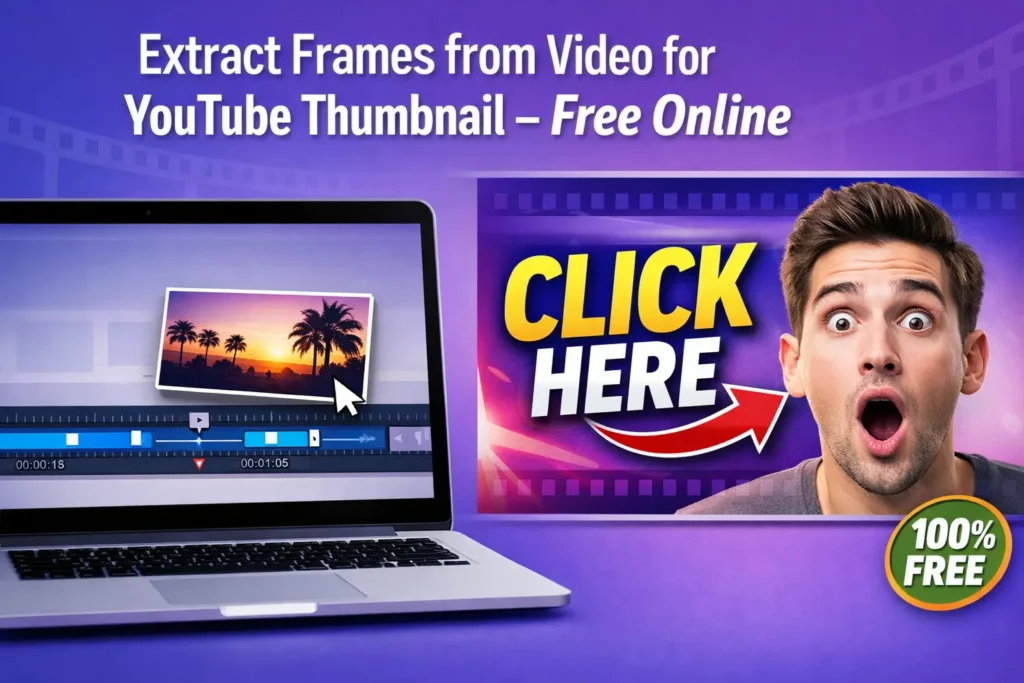
Open a browser-based extraction tool. Drag and drop your video file into the window. Use the built-in timeline slider to scrub through your footage until you find the perfect, emotional facial expression.
Step 3: Download the Image
Once you find the exact frame you want, download it to your device. Always choose the PNG format if the tool allows it, as this preserves the highest quality and prevents compression artifacts.
Step 4: Add Your Branding
Open the extracted image in your favorite design software. Double-check that your canvas is 1280×720. Boost the saturation slightly, add your bold text, and apply your channel’s signature style.
Step 5: Upload to YouTube Studio
Save your final design as a JPG or PNG under 2MB. Go to YouTube Studio, click on your video, and upload your custom creation.
Free Tools for YouTube Thumbnails
You do not need to spend hundreds of dollars on professional software to get professional results. Some of the best tools on the internet cost absolutely nothing. Here are the top free tools for YouTube thumbnails to use right now:
- Video Frame Extractor: This tool is incredible for pulling 4K quality frames directly from your video file. It operates entirely in your browser, meaning you do not have to upload massive video files to a server. It keeps your unreleased content perfectly private.
- Canva: This is the easiest graphic design platform for beginners. It features thousands of free templates specifically sized for YouTube. You can add text, remove backgrounds, and adjust colors in just a few clicks.
- Photopea: If you want more advanced control, Photopea is a phenomenal free alternative to Photoshop. It runs in your browser and lets you use advanced layers, masking, and color grading.
Combining a fast frame extractor with a simple editor like Canva gives you a massive advantage over creators who rely on auto-generated thumbnails.
Common Design Mistakes Costing You Views
Even experienced creators make simple errors that destroy their click-through rates. Avoid these common traps:
- Ignoring the sizing rules: Uploading a square image or a vertical photo forces YouTube to add ugly black bars to the sides of your thumbnail.
- Writing essays on the image: If you use 15 words on your thumbnail, no one on a smartphone will read them.
- Using clickbait that breaks promises: Never put something in your thumbnail that does not actually happen in the video. This kills your viewer retention and hurts your channel overall.
- Forgetting to test on small screens: Always zoom out on your design before saving it. If you cannot understand the image when it is tiny, start over.
Real Results: How Fixing Dimensions Skyrocketed CTR
Small tweaks make a massive difference. Consider a gaming creator based in the US who struggled with a frustrating 3.2% CTR on his review videos. He was taking random screenshots with his computer, which often resulted in blurry, incorrectly sized images.
He decided to change his strategy. He started using a no-upload frame extraction tool to pull crystal-clear, 1280×720 frames. He bumped up the contrast and added just three words of bold, yellow text.
Within two weeks, his average CTR climbed to 6.8%. Because YouTube saw more people clicking, the algorithm pushed his content to a wider audience. That simple adjustment to his thumbnail size and design workflow delivered thousands of new organic views per video.
Advanced Tips for 2026 Thumbnail Optimization
Ready to take things to the next level? Try these advanced tactics:
- Apply drop shadows: Adding a dark drop shadow behind bright text makes the words pop off the screen, dramatically improving readability.
- Use the rule of thirds: Place your subject’s eyes along the top third of the image to create a naturally pleasing composition.
- Color code your series: If you run different types of shows on your channel (e.g., podcasts, vlogs, tutorials), use a specific border color for each series so viewers know exactly what they are clicking on.
The Future of Thumbnails: What to Expect Next
As mobile viewing continues to dominate the landscape, thumbnails will only become more crucial. We expect to see viewers demanding even cleaner, higher-contrast images. The algorithm heavily rewards emotional connection, so pulling authentic reaction frames directly from your video will remain a top strategy.
Creators who master the technical side—sticking to the 1280×720 dimensions—while focusing on simple, mobile-friendly designs will completely outpace their competition.
Conclusion
Mastering the YouTube thumbnail size 2026 demands is the absolute fastest way to boost your organic traffic. When you stick to the official 1280×720 dimensions, you guarantee your channel looks sharp, professional, and ready for clicks.
Stop letting your hard work go unnoticed. Start using free frame extraction tools to pull high-quality images directly from your content. Apply bold text, maximize your contrast, and always design with mobile viewers in mind.
Take a look at your latest video right now. Does the thumbnail meet these standards? If not, fire up a free editor, resize your canvas to 1280×720, and give your content the packaging it deserves. Your CTR will thank you.
Published by Syed Rizwan Khan — Creator of Video Frame Extractor. Built for creators who value speed, quality, and privacy.