How we test, and what to expect
These tools are designed to create useful files while making their limits visible. A successful test means the described operation produced an inspectable output for the specified input. It does not establish that every file, device, or AI prediction will work equally well.
What was checked in this release
On 3 October 2026, the local Chromium-based in-app browser completed 17 feature checks and 12 edge-case checks. The saved files were also inspected independently. The test fixtures used generated video patterns, known stereo tones, printed English text, a synthetic portrait, and the official Whisper speech-test recording.
| Operation | Observed result |
|---|---|
| Frame extraction and ZIP | Four timestamped PNG files; a real ZIP passed its CRC checks. |
| Audio extraction | MP3, WAV, M4A, and OGG outputs. The WAV duration was 3 seconds; a trimmed WAV was 1 second. |
| Subtitles | Reviewed SRT exported; visible caption text was confirmed in a decoded MP4 frame. English speech produced timestamped draft captions. |
| AI image enlargement | A 128 × 96 sample produced a 256 × 192 PNG. |
| AI video enlargement | A short 160 × 90 sample produced a decoded 320 × 180 frame. |
| Portrait background | A 256 × 256 sample produced an RGBA PNG with both transparent and opaque pixels. |
| OCR | The known printed English sample text was recovered. |
Expanded image and workflow checks
The revised image upscaler passed 11 additional checks, including large PNG/JPG/WebP and SVG images, portrait input, tiled AI, transparent output, invalid-file recovery, cancellation, and a 4000 × 4000 source producing an 8000 × 8000 PNG with Fast resize. Auto clearly identifies whether AI enhancement or ordinary resizing was used.
All 16 frame-workflow pages produced real 160 × 90 sample captures with the expected defaults and no measured mobile overflow. An additional test captured a compatible H.264/AAC MKV fixture. These checks cover controlled examples, rather than every codec or recording device. The shared 12 edge checks were rerun after the image changes.
Errors and cancellation matter too
The browser checks included missing inputs, reversed time ranges, malformed subtitles, invalid image bytes, oversized images, mono audio rejection for centre cancellation, repeat conversions, and cancellation/recovery. OCR was cancelled during recognition and then successfully run again.
Read the limit for your task
The new media-processing tools accept files up to 100 MB, or images up to 20 MB (50 MB / 16 MP for image enlargement), with task-specific pixel and time limits. AI video enlargement is for clips up to 320 × 180 pixels and a 10-second range; it processes independently sampled frames rather than interpolating motion. Background removal is tuned for portraits. Vocal removal uses stereo centre cancellation, not AI stem separation. English is the supported language for automatic captions and OCR.
What has not been established
These results do not establish broad Safari, Firefox, Android, or iPhone compatibility, professional restoration quality, or perfect transcription. Models can hallucinate detail or words. Browser playback is codec-dependent. Keep the original, compare the output, and use a short test before committing to a workflow.
Live hosting redirects, model delivery, contact mail delivery, search indexing, and account approvals must be checked after deployment. A local test cannot establish those external outcomes.
Choose a tool or report a reproducible problem. Include the tool, browser, format, and error message; please do not send private media.
Inspect the actual sample exports
These files came from the recorded local-browser tests. The frame source is the generated demonstration video available through “Try sample video” in the extractor. For the sequence test, the selected range was 0–2 seconds, the interval was 0.5 second, and PNG was selected. The end is excluded, giving four timestamped files at 0, 0.5, 1 and 1.5 seconds. Each decoded image is 1280 × 720; this is an HD demonstration, not a 4K compatibility test.
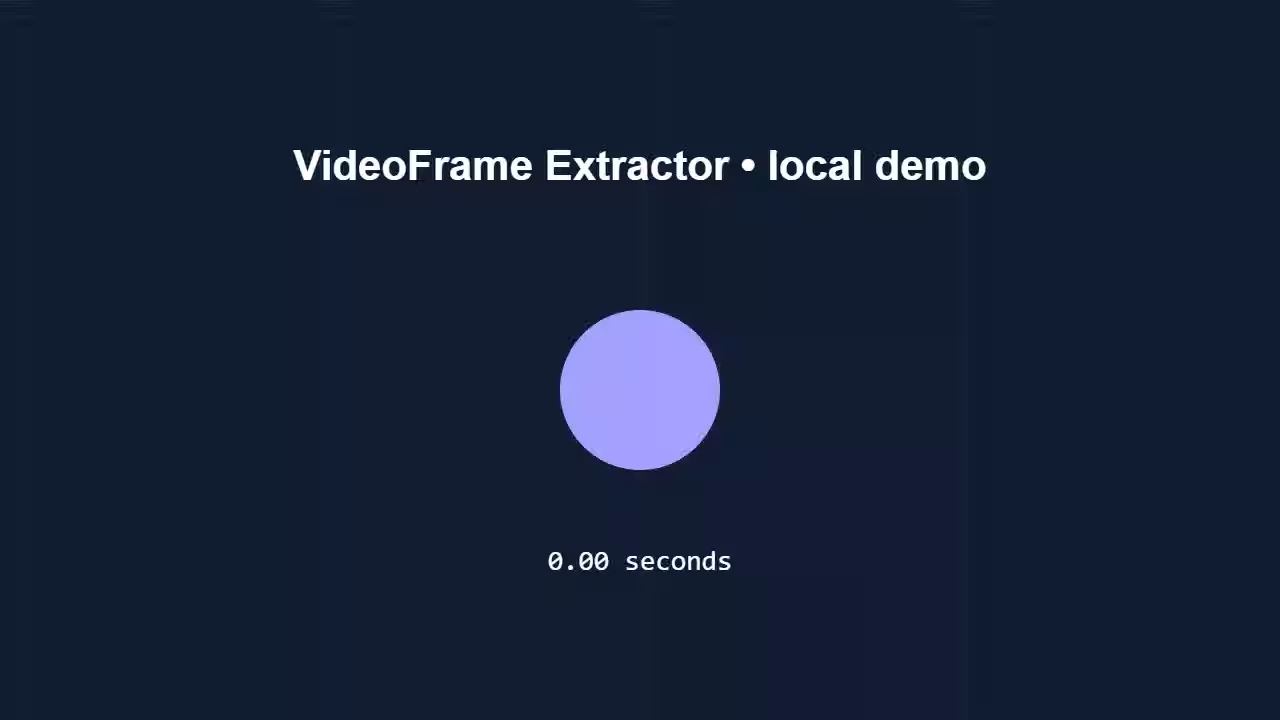
Download the four-frame test ZIPRepeat the extraction test
Open the archive and check the filenames, image dimensions and changing timestamps. A CRC check passed for this saved archive. A successful sample demonstrates this workflow; it does not establish that an arbitrary MOV, HEVC recording or HDR video will produce the same result.
Compare a small AI enlargement
The original generated 128 × 96 image and the actual 256 × 192 ESRGAN output are both available below. Inspect them at their actual dimensions and compare edges and small details. A larger image is an inferred result, not proof that detail existed in the source.

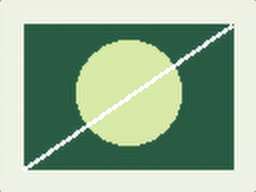
Download the original PNG · Download the actual enlarged PNG · Try the image upscaler
Canvas sequence prototype checks
The canvas guide was checked with PNG, JPG and WebP inputs, numerical filename ordering, first and last frames, optional scrolling, corrupt-file recovery, clearing during decoding and reduced-motion preferences. The downloaded HTML example reopened locally and displayed all 30 generated sample frames. Its embedded images are resized previews at 640 × 360, not replacements for the original exports.
Use the canvas sequence guide to repeat those steps. These are dated local checks from 3 October 2026; they do not establish a browser-wide compatibility certification or an account approval.